Dead and stuck pixels
Look across the whole screen on each colour from about 50 cm, then closer along the edges and corners.
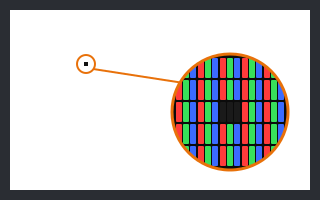
- Dead pixel: a dot that stays dark on the white screen.
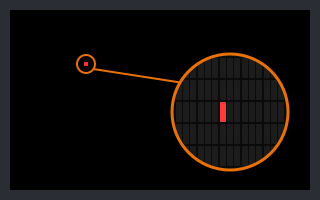
- Stuck pixel: a dot that stays red, green or blue. It stands out on black and on the colours it does not belong to.
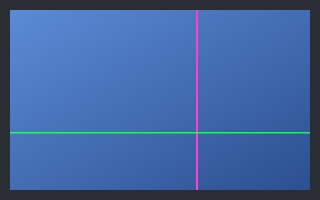
- Line: a thin line across the whole screen points to a panel or cable fault, which is more serious than one pixel.
- Dust or a pixel? Dust looks soft and moves with your viewing angle; a pixel fault is a sharp square that stays put.